Safe zones
Tint everything outside a safe area, with a combined guide for organic posts and the published ad guides for Meta, Snapchat and YouTube.
Universal Safe Zone covers the parts of your frame that a network's interface or an ad's labels may hide, and leaves the safe area clear. Where a platform layout shows one network's screen, the safe zone shows one rule you can check every shot against, in a color and strength you pick.
Turn it on
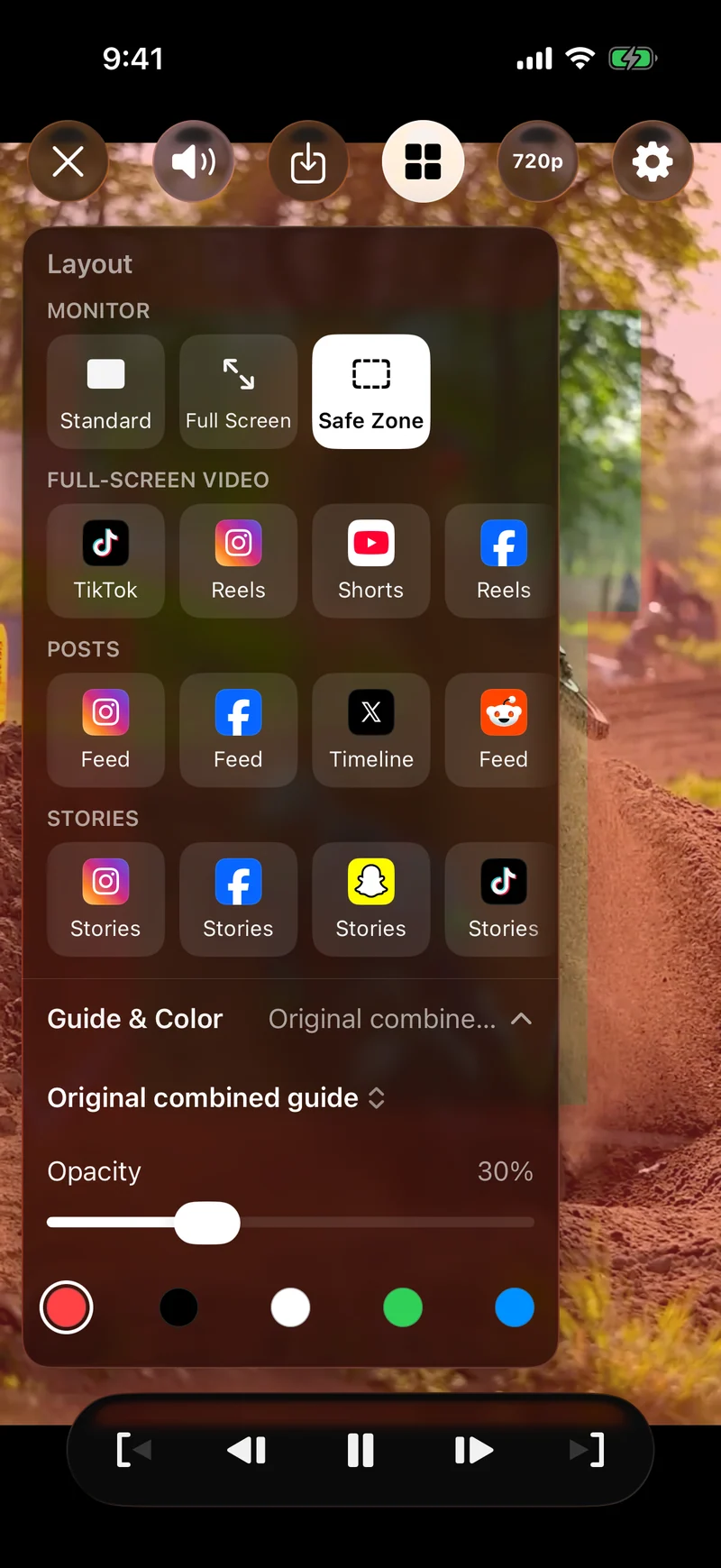 The options row shows the guide in use on the right. It opens every time you choose the safe zone or reopen the card.
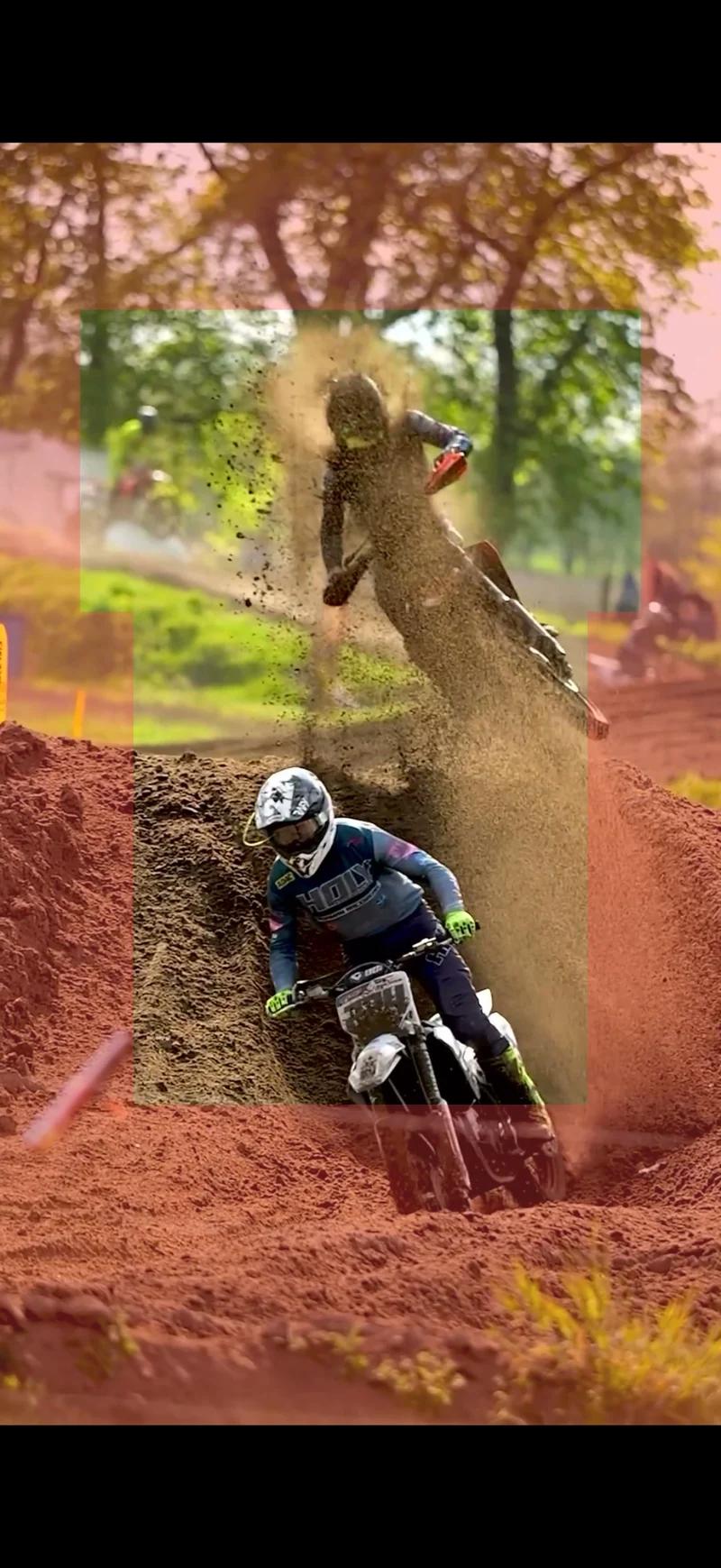 The Original combined guide at 30% red. Anything under the tint risks being covered.
The guides
Tap the guide name to open the menu. The guides appear in this order.
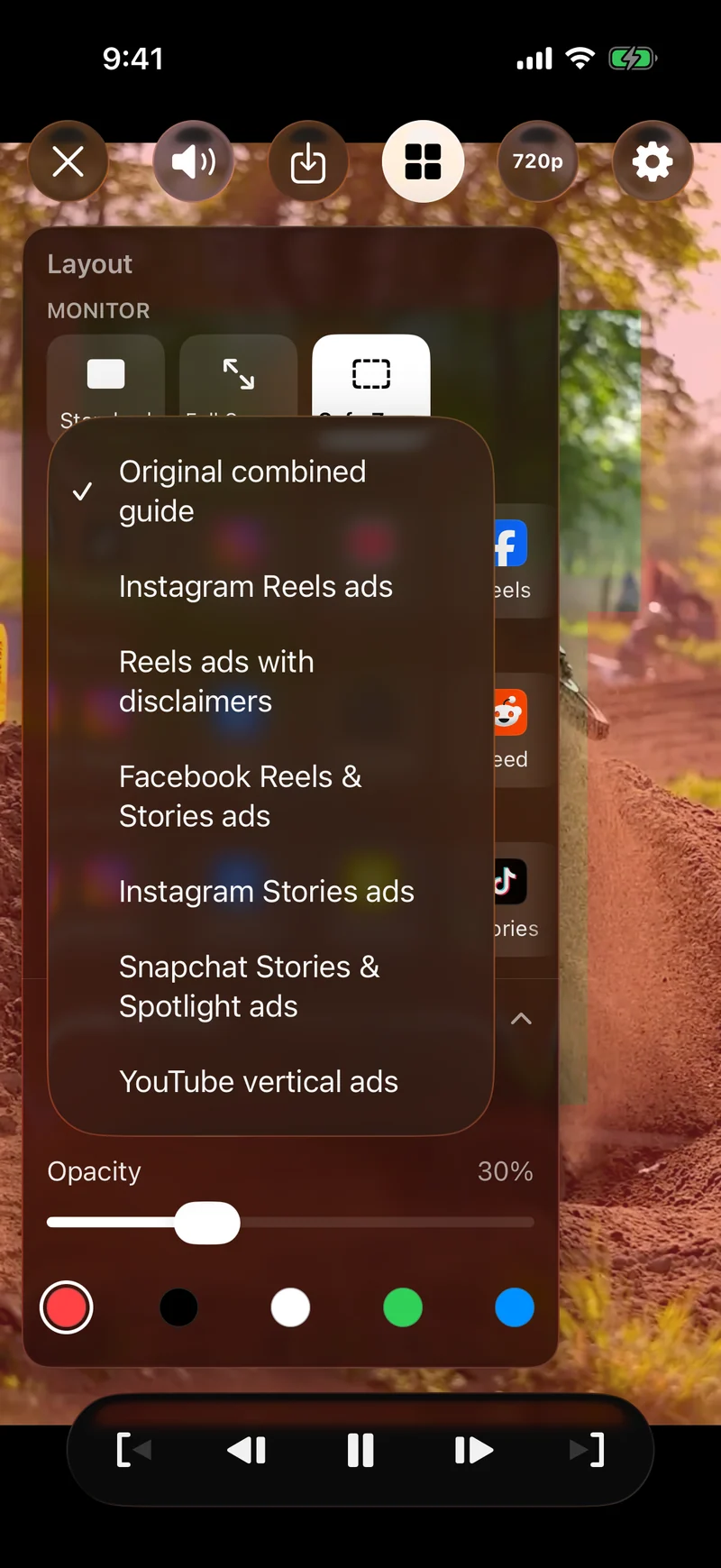 Original combined guide is the default and the only one that works on any frame shape.
| Guide | Clear area it leaves | Frame shape |
|---|---|---|
| Original combined guide | A stepped opening on a 1080×1920 frame: 250 px from the top, 120 px from each side down to 702 px, then 200 px from each side down to 1440 px. The bottom 480 px is covered. | Any |
| Instagram Reels ads | 14% from the top, 6% from each side, 35% from the bottom. The rightmost part, where the ad buttons sit, needs 40% from the bottom. | 9:16 only |
| Reels ads with disclaimers | The same, with 40% from the bottom across the full width, for ads that carry a disclaimer line. | 9:16 only |
| Facebook Reels & Stories ads | Same shape as Instagram Reels ads. | 9:16 only |
| Instagram Stories ads | Same shape as Instagram Reels ads. | 9:16 only |
| Snapchat Stories & Spotlight ads | 10% from the top, 6% from each side, 35% from the bottom. The rightmost part needs 45% from the bottom. | 9:16 only |
| YouTube vertical ads | On a 1080×1920 frame: 288 px from the top, 48 px from the left, 192 px from the right, 672 px from the bottom. | 9:16 only |
The Original combined guide is one shape that keeps text clear of the usual top bar, side rail, caption and tab bar of the vertical networks together. Use it for organic posts that go to several networks.
The ad guides follow the safe zones that Meta, Snap and Google publish for paid placements. Ads add labels and buttons that organic posts do not have, so their clear areas are smaller. There is no TikTok ad guide: TikTok's ad safe zone changes with the caption length.
Ad guides need a 9:16 frame
An ad guide is drawn only when your frame is exactly 9:16. On any other shape, the tint disappears and the monitor shows Use a 9:16 source for this ad guide. Set your Premiere sequence (or After Effects composition) to a 9:16 size such as 1080×1920 and the guide comes back.
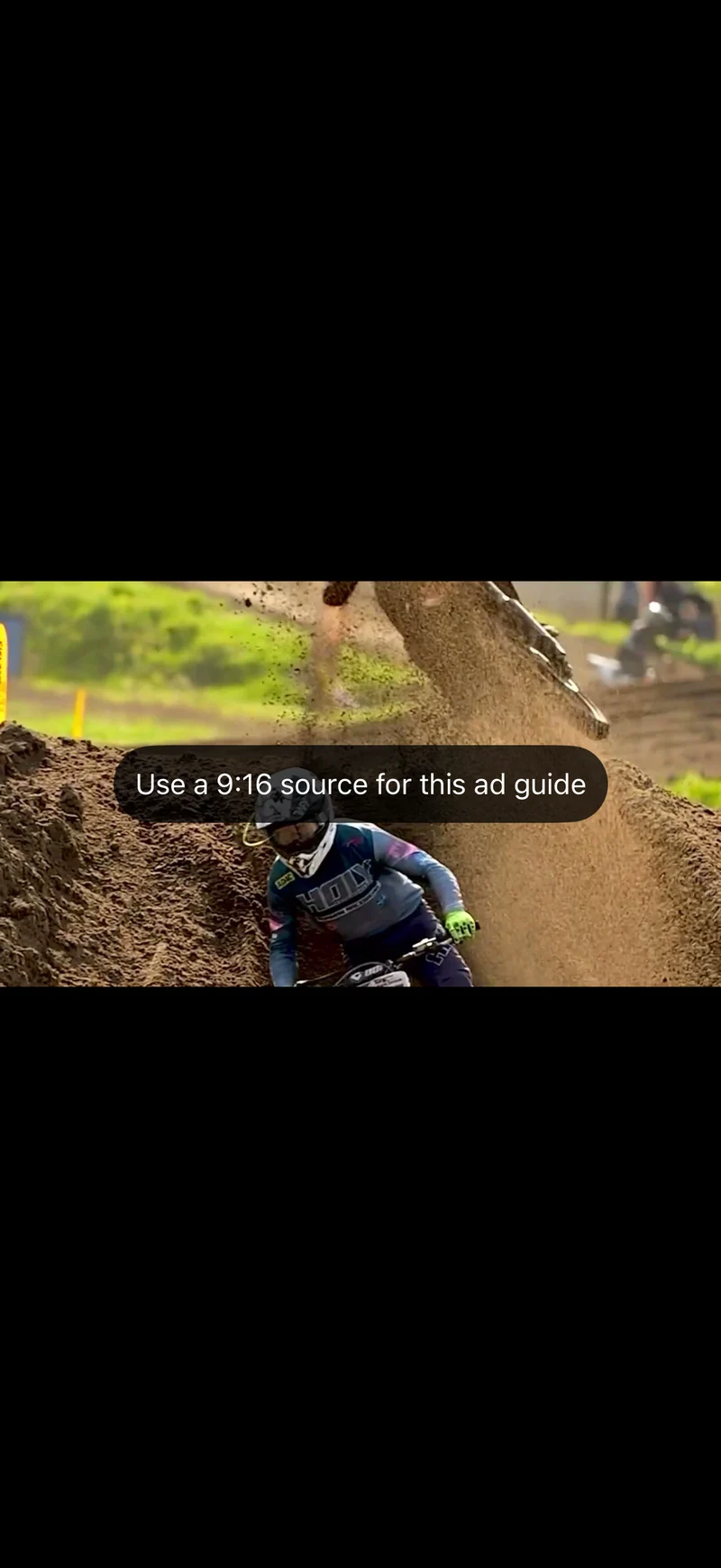 An ad guide chosen on a 16:9 sequence. No tint is drawn until the sequence is 9:16.
The Original combined guide is drawn on any frame. It is laid out as proportions of the frame, so on a frame that is not 9:16 it stretches with the frame and its edges no longer mean pixels on a vertical post. Read it on a 9:16 sequence when the measurements matter.
Color and opacity
- Opacity runs from 0% to 100%. The default is 30%. A dot on the slider marks 30%, and the slider snaps to it when you get close.
- Five color swatches: red, black, white, green and blue. Red is the default. The chosen swatch has a ring around it.
Pick a color your footage does not contain. Red disappears over a red product shot; white or blue reads better there.
Color and opacity apply only to the safe zone. Platform layouts always draw at full strength.
The safe zone follows the frame
The tint is fitted to your picture, not to the phone screen. If the frame has black bars around it, the guide sits on the picture inside the bars.
The safe zone also works in landscape, where the network layouts do not.
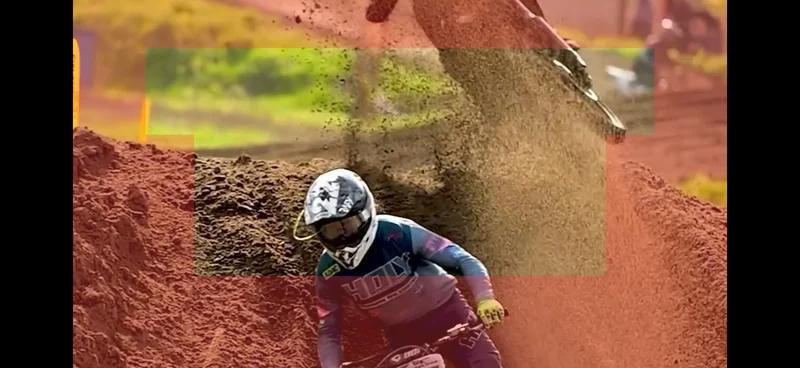 In landscape the tint stays on the picture.
A frame you save with the safe zone on includes the tint at its color and opacity. If an ad guide is showing its "use a 9:16 source" notice, the saved frame is the plain picture.
Safe zone or platform layout
| You want to | Use |
|---|---|
| Keep titles and faces clear for several networks at once | Universal Safe Zone with Original combined guide |
| Check a paid placement against the network's ad rules | Universal Safe Zone with the matching ad guide |
| See how the post looks to a viewer, with the real buttons, your caption and counts | The network's layout |
| Check a landscape frame | Universal Safe Zone (network layouts are portrait only) |
| Show a client the post as it will appear | The network's layout, then save the frame |
A guide is a fixed shape; a layout shows your actual caption. On TikTok, Instagram Reels and YouTube Shorts a long caption wraps to as many as five lines, so check long captions in the layout itself. See Edit Profile to put your real caption in.
Last updated on